Here's what you do to Add a Borrower:
- Click
 to add Borrower. to add Borrower.
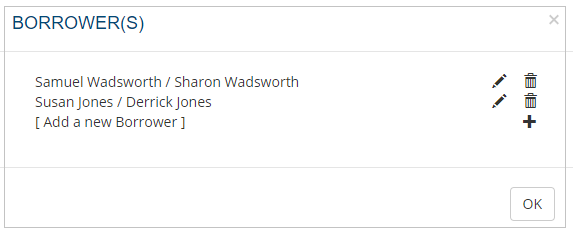
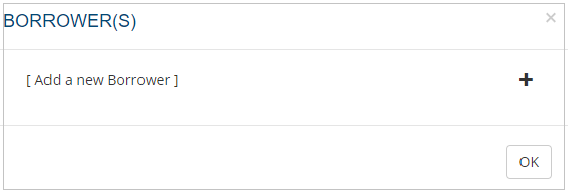
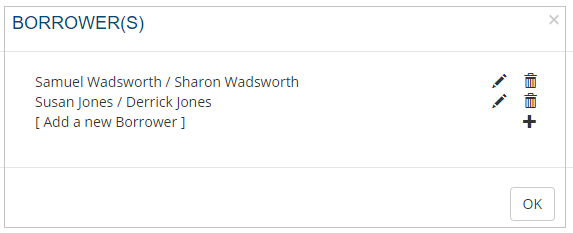
- The Borrower(s) screen is displayed.
- Click + or Add a new Borrower
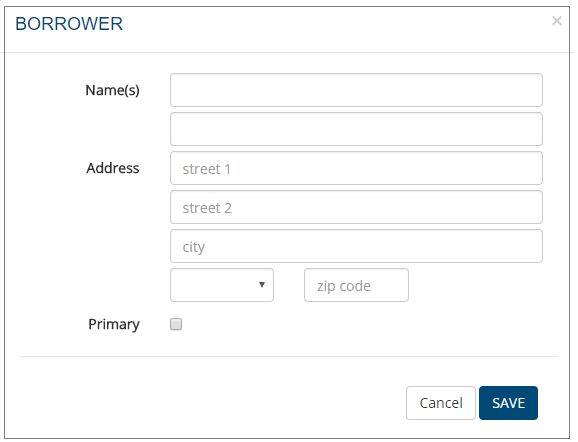
- The Borrower screen is displayed.
- Complete the screen.
- Enter the name of the co-borrower if applicable,
- Check Primary if the borrower is the primary borrower.
- Click SAVE.
- Repeat the same process if there is more than one borrower.
|
|
Here's what you do to Edit a Borrower:
- Click to view the added Borrower(s).
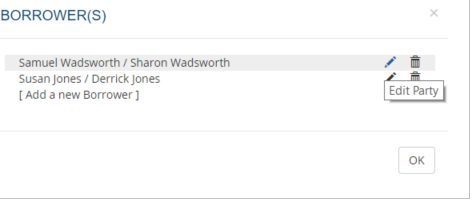
- The list of borrowers is displayed.
- Highlight the required borrower and click .
- The Borrower screen is opened.
- Add or amend details.
- Click SAVE to save the changes.
|
|
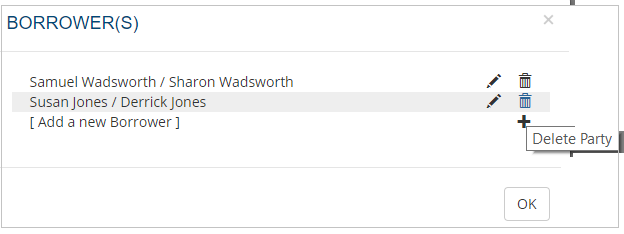
Here's what you do to Delete a Borrower:

 .
.